
IT & asset management AssetCentinals

Every device, every endpoint, every asset, seen, secured and accounted for.

  • IT + RFID
  • Agent/Agentless
Centinals asset consoleASSET MANAGEMENTOPERATIONSDashboardAssetsMapFloating listAlertsADMINISTRATIONAudit logSettingsDashboardDashboardEstate overviewRefreshCOMPANIES1238 regions · 412 branchesTOTAL ASSETS3,482across 412 branchesACTIVE RATE94%3,273 seen in 30 daysALERTS128across 96 assetsFLOATING ASSETS23in circulationAgent versionsDetails ›4versions in use312 need updatinglatest 2.12.12,9042.03411.11891.048Assets by categoryDetails ›3,482assetsLaptop1,842Desktop1,106Tablet534Asset statusDetails ›Active3,273Inactive142Return51Lost16HQ tower · 1,412Annex · 864Warehouse · 590© OpenStreetMap contributorsTop locationsOperating systemsWindows 112,610Windows 10642macOS230AlertsDetails ›Out of radius63 days inactive943 months inactive28Out of radiusIT-00342 · just now

AssetCentinals gives organizations one structured view of IT equipment, physical assets and inventory. Track ownership, location, status, maintenance and lifecycle history from acquisition to retirement.

Walkthrough

How AssetCentinals tracks every asset

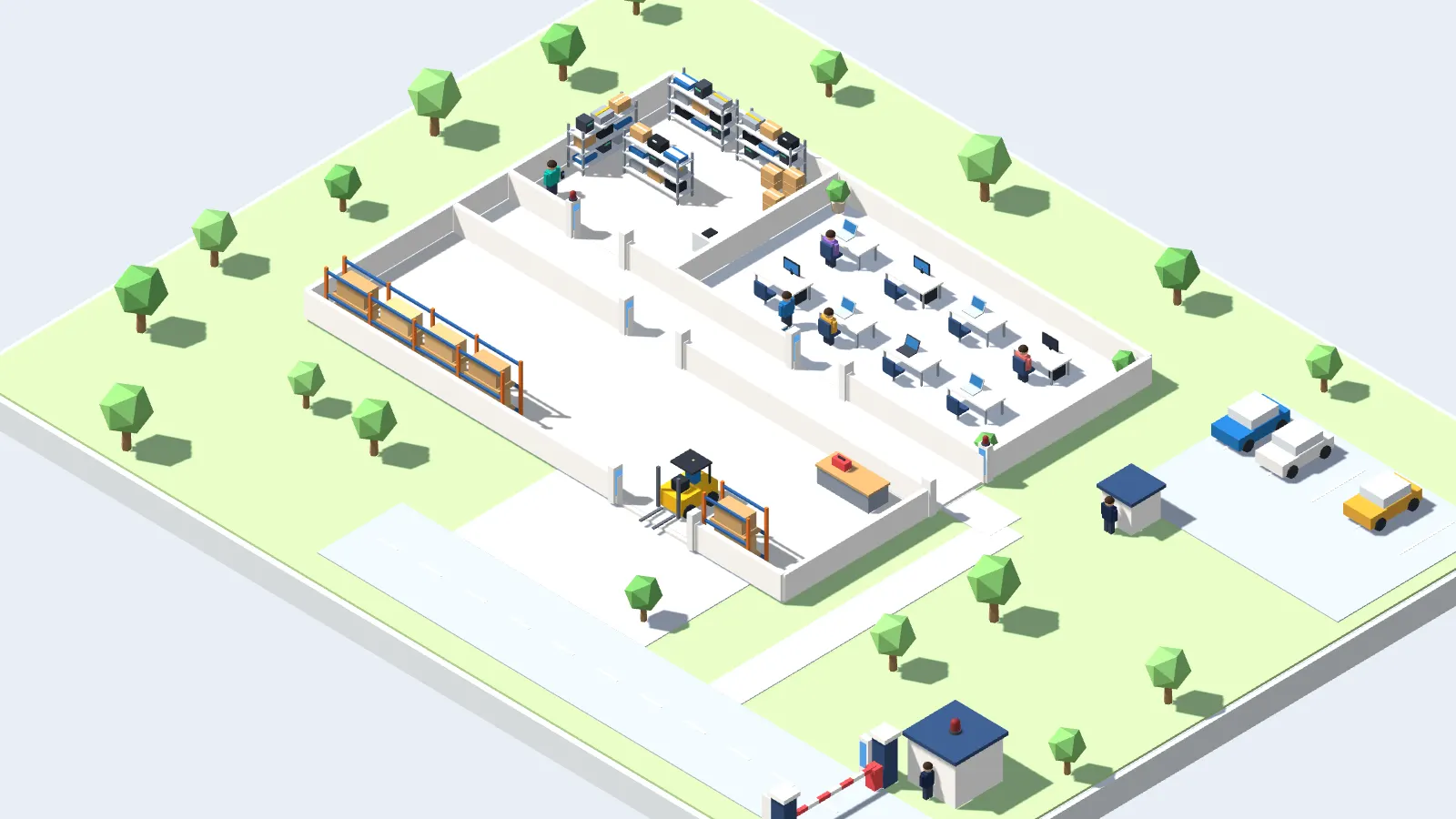
A miniature office, store room and warehouse, with RFID readers at every door
Scene 1 of 8Store Room · Warehouse

RFID tags on every valuable

Each boxed item in the store room, and each tool and pallet in the warehouse, has a small RFID tag. The tags need no battery, and readers pick them up without needing to see them.

Capabilities

01

IT endpoint telemetry

View assigned user, online status and last-seen to the second, make and model, OS version and build, processor and system type, battery percentage, RAM and disk usage, IP, MAC, public IP, installed software and last known location.

02

Non-IT and RFID

Passive UHF tags with handheld readers for stock counts and fixed gateway readers for zone-exit detection. No batteries, no tag maintenance.

03

Geofencing and inactivity

Draw zones around offices, sites or campuses. Multiple zones per branch, a configurable inactivity timer, and email alerts the moment a device leaves or goes quiet.

04

Remote lock and wipe

Authorized administrators can remotely lock or wipe a missing device, where supported and enabled.

05

Patch and software management

Windows Update orchestration with approval, stage and deploy in waves, targeted by hierarchy, with per-endpoint install verification. Third-party app deployment included.

06

Audit trail and reporting

Keep a history of every login, config change, lock command and export captured with actor, timestamp and source IP. Tamper-evident and write-once, with one-click CSV, PDF and XLSX exports.

One estate, one view

Everything in one console

01

See your whole estate

A lightweight agent on each laptop, desktop and server checks in on a schedule. The console turns that data into one view of the estate, organized by company, region and branch.

02

Know where your assets are

Assets appear on a live map with branch geofences. When a device leaves its allowed radius or goes quiet, an alert is raised.

03

Know every machine

Each asset has a detail view with hardware, network and storage, plus findings that point out what needs attention.

04

Act on lost devices

Administrators can lock a missing device, issue a one-time unlock password or erase it, where supported and enabled.

05

Built for IT operations

Track assets away for repair with the loaners standing in for them, and export reports scoped to each user's access.

06

Secure and accountable

Sign-in supports passkeys, authenticator codes and Microsoft Entra single sign-on. The audit log shows who did what, and when.

How a stock count actually runs

  1. 1

    Walk the floor

    Staff carry a handheld UHF reader through the area.

  2. 2

    Console reconciles live

    Detected tags are matched against the expected list in real time.

  3. 3

    Session is recorded

    Each count runs as a tracked session with its own ID, for the audit file.

Make stock counts faster and easier to reconcile.

Beyond off-the-shelf

We don't just deliver software.
We fit it to how you work.

Every organization runs differently. Our engineers work with your team to understand your processes and challenges, then tailor AssetCentinals so your systems work together instead of in silos.

Tell us how you work
  1. 01UnderstandYour processes and challengesWe review how assets are procured, assigned, moved and retired, and where records fall behind.
  2. 02AddModules built for your needsNew modules for needs beyond the standard system, such as managing company vehicles or tracking equipment servicing.
  3. 03ConnectIntegration with your existing systemsERP and finance, procurement, helpdesk and Microsoft Entra ID.
  4. 04AutomateWorkflows that run themselvesApprovals, reminders, audits and reports that run on their own.

Questions

What types of assets can it track?

Two categories. IT endpoints, meaning Windows laptops and desktops via agent-based telemetry, and non-IT assets such as furniture, tools, equipment and stock, tagged with passive UHF RFID and scanned at gateways or during stock counts.

Which operating systems are supported?

The agent supports laptops and desktops running Windows 8 and above. Non-IT assets are tracked with RFID tags regardless of any operating system.

How heavy is the agent?

It is a lightweight background service. Agent updates are downloaded and swapped in the background with no end-user interruption, no reinstall and no prompts.

How current is the endpoint data?

Near real-time. The console shows online status with last-seen timestamps down to seconds.

Does geofencing cover non-IT assets?

Yes. Agent-installed devices and RFID-tagged assets both raise alerts, with gateway readers firing zone-exit alerts the instant a tagged asset leaves the building.

How do users log in?

Passkeys, TOTP-based multi-factor authentication, plus single sign-on with Microsoft Entra ID and Google Workspace over OAuth 2.0 and OIDC.

Can we rebrand it as our own?

Yes. White labeling is available, with your own logo and product name.

Who owns the source code?

CLL Systems develops and supports Centinals. Source-code ownership and usage rights depend on the agreed licensing terms.

See AssetCentinals running

Tell us the challenge. We'll show you what Centinals can do.